In your account configuration, you can set Bear as your JDEX location. This will generate links from the bottom of the documentation pages to the appropriate JD ID in your own JDEX.
My JDEX uses loosely translated Dutch titles. This has the effect that the link back to my JDEX will never work.
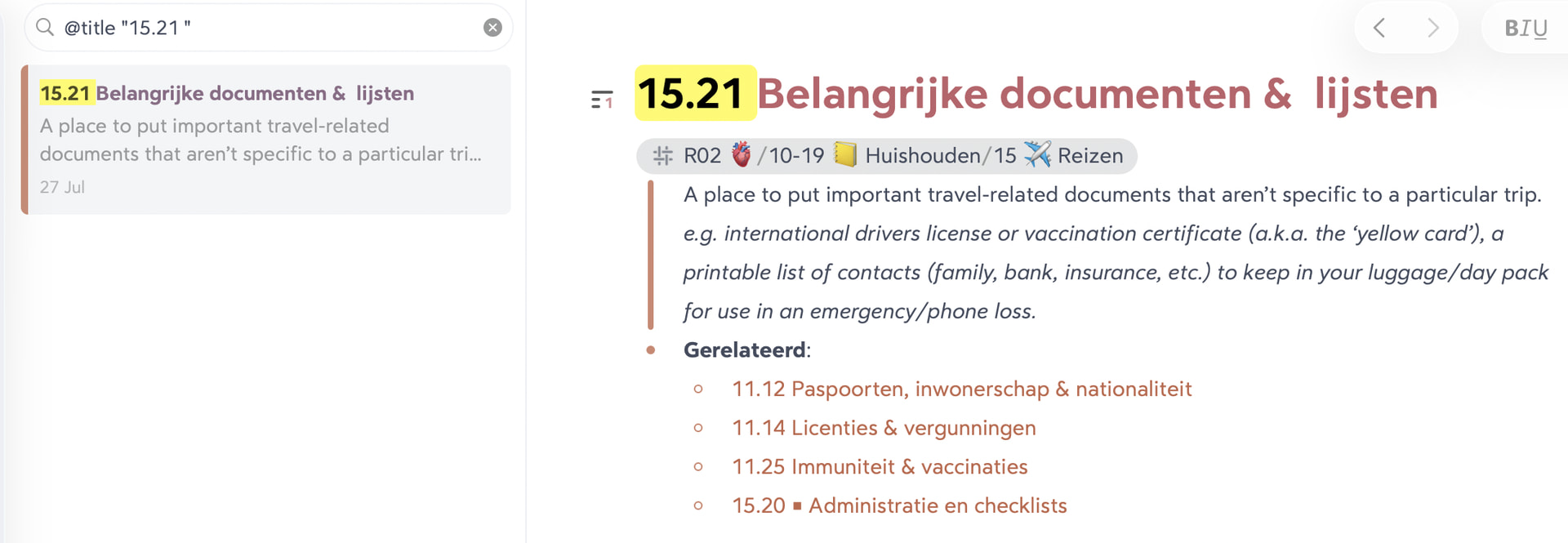
My suggestion is, to have Bear search for the ID, instead of opening the note with the exact title.
A downside is, that you have to click the note from the search results, but usually it will only find one specific note.
Example (no coincidence):
https://johnnydecimal.com/las/15.21
This will show a link “Open in Bear” pointing to
bear://x-callback-url/open-note?title=15.21%20Important%20documents%20%26%20lists
which I would prefer to be
bear://x-callback-url/search?term=%40title%20%2215.21%20%22
This will search for the string @title "15.21 " (mind the double quotes and space at the end, that will eliminate expanded notes from the results).
In my case this would end up like this: