I started my JD journey last year but didn’t follow through and finish nor create the index/JDex structure. I think I finally have figured it out, and wanted to share my setup.
I’m using Obsidian for notes and the index. Part of my hesitation has been wrapping my head around the structure, where to use folders, where my notes fit in with the index etc. I think I have clarity now for my own use cases.
Folders
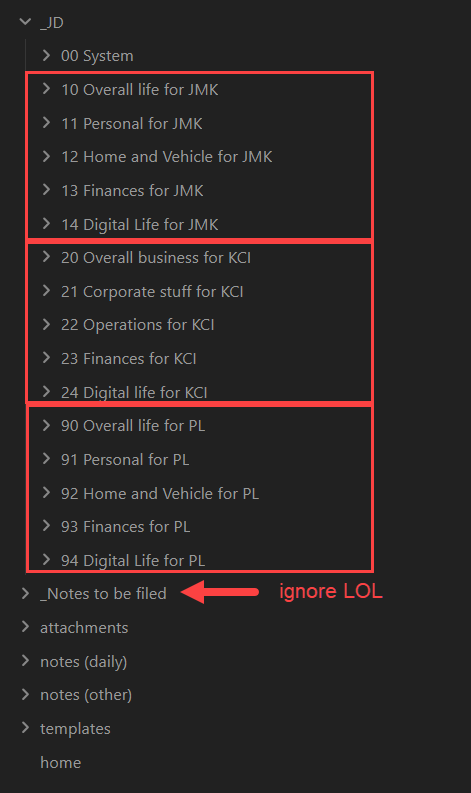
I’m using a semi-flat structure as follows, in one Obsidian vault.
- One _JD folder which is a list of folders at the AC level. I was getting annoyed with a more hierarchical structure of nested folders, but also did not want a folder just full of ID notes either. This is my happy medium. 3 areas - one personal, one business, one for a relative I’m power of attorney for.
- “Obsidian” specific functionality in their own folders outside of JD: attachments, templates, and daily notes.
- The “notes (other)” is where I am taking a slight departure from the norm. More on this below.
- The “notes to be filed” are all the Obsidian content I’ve had that I have not organized or linked to indexes yet, UGH, lol.
00.00 System Index file
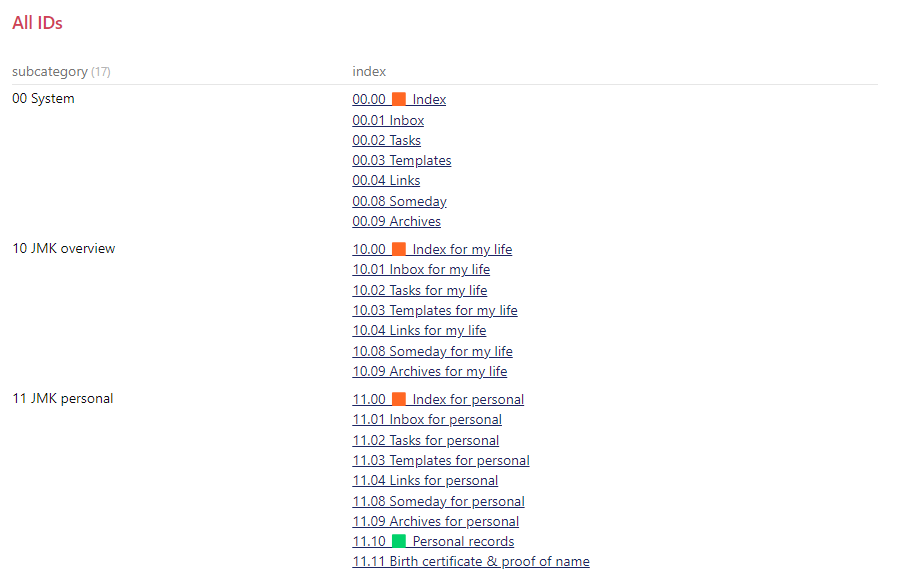
I’m using dataview queries to have 3 separate queries showing the indexes within each “area”. I could just have them all in one list but this is where I preferred to display them by area. Properties for this index are just a “category” and “subcategory”. I’m using “category” generically in this context, using an out of the box property instead of creating a new one for JD. I labelled all of my .00 to .09 notes with a subcategory of “Standard Zeros” only so I can filter them out of the views in my queries. In the screenshot for example, I don’t need to see the standard zeros in each area, I know they exist, I only want to see the OTHER IDs.
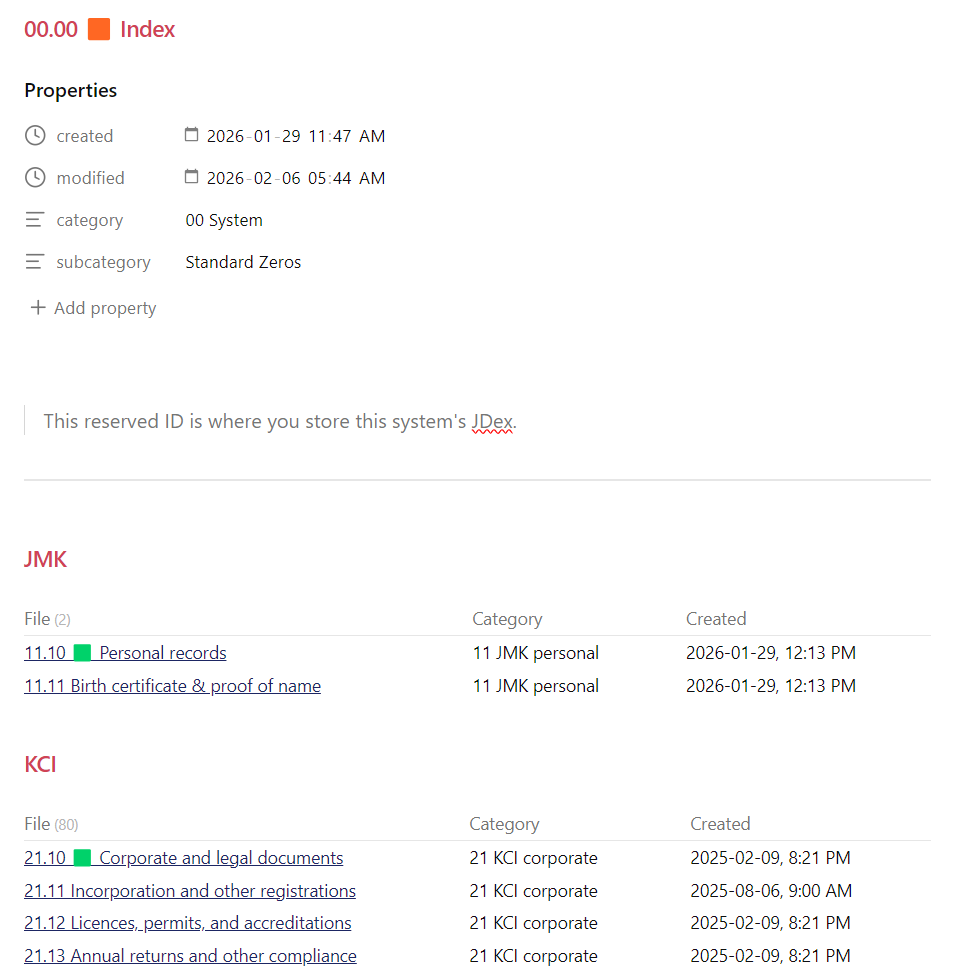
My query is the same for each except a hard coded path because I could not figure out a cleaner way to do this. (dataview query)
table category as Category, created as Created
where category
	  and contains(file.path, "_JD/1")
	  and subcategory != "Standard Zeros"
sort  file.link
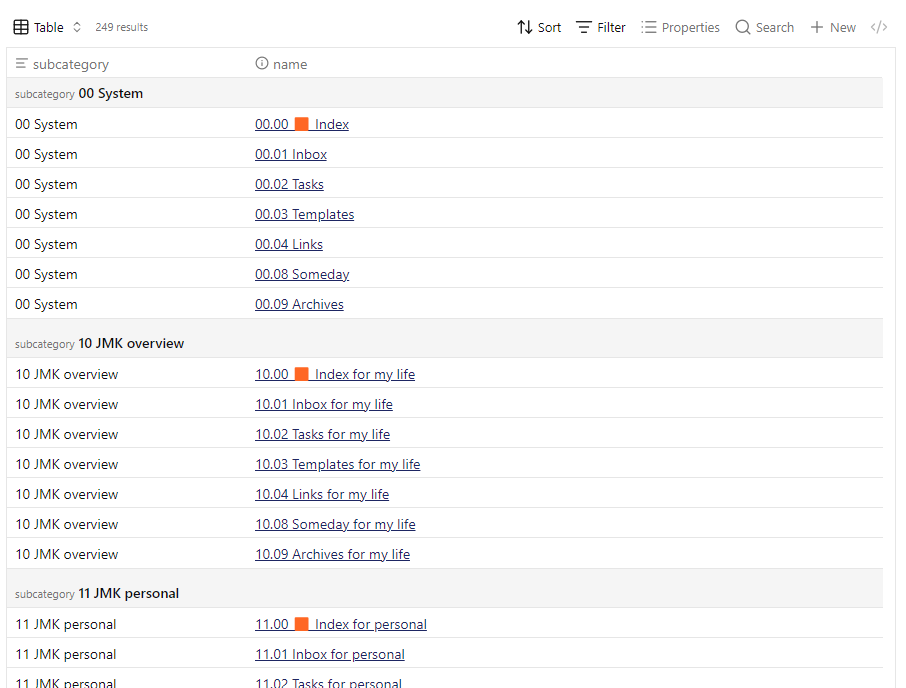
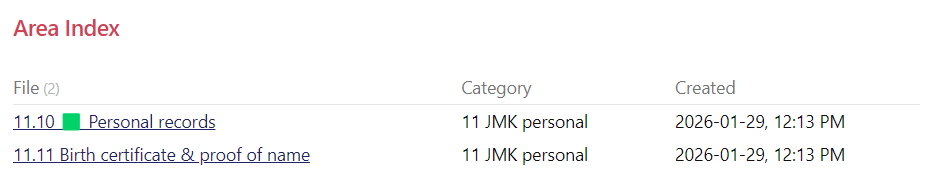
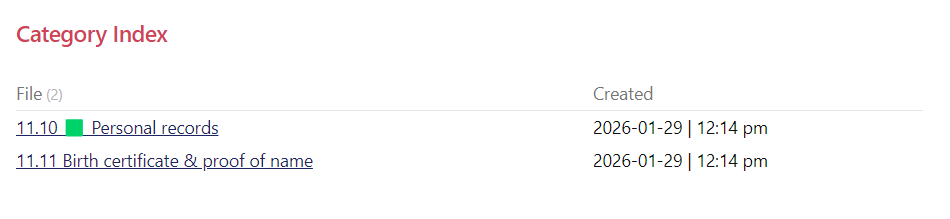
I do something similar on my area indexes (10.00, 20.00, 90.00) and category indexes (11.00, 12.00 etc.). These 2 screenshots are perhaps not a great example since I haven’t yet organized my “JMK” files and don’t have much in them yet.
Into the weeds
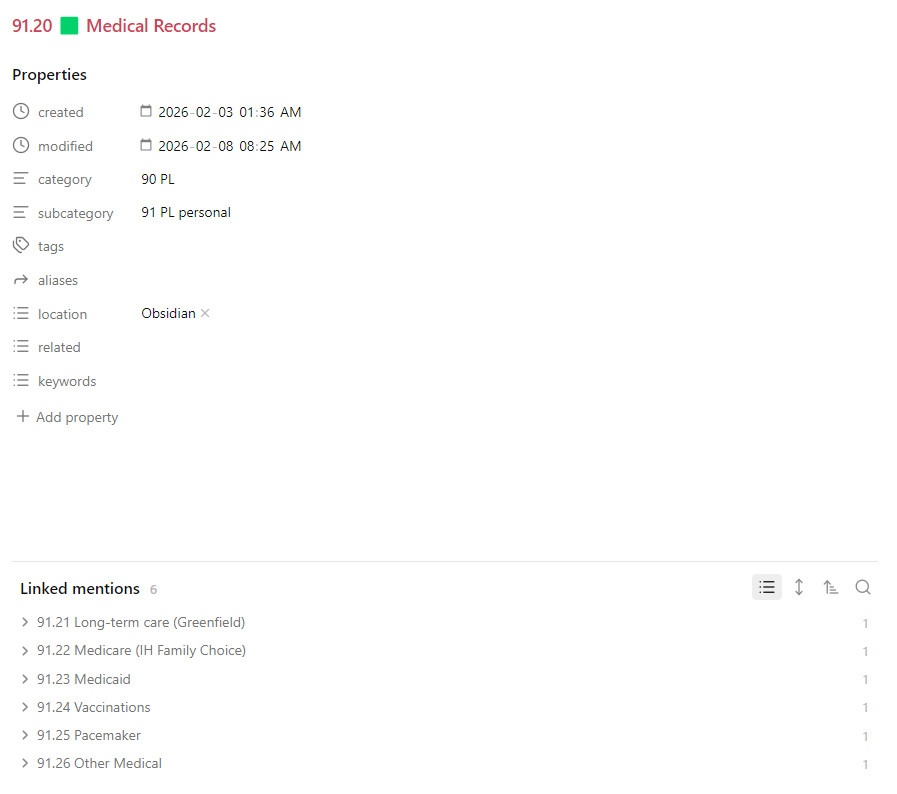
Lastly here is an example of what I’m doing at a more granular level. An example of one AC is below. Orange icons for indexes, green icons for headers.
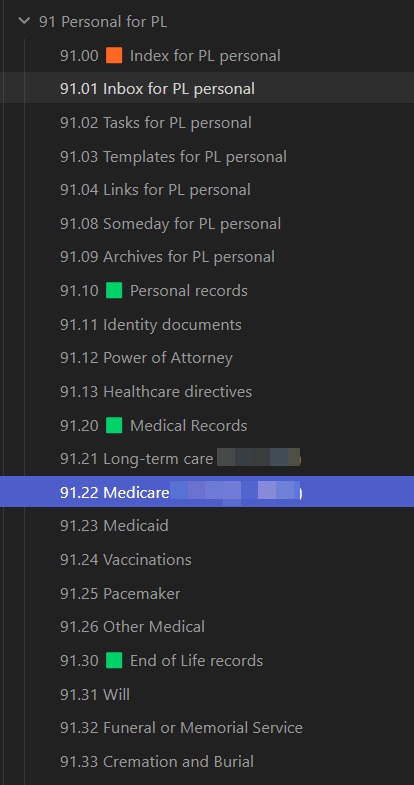
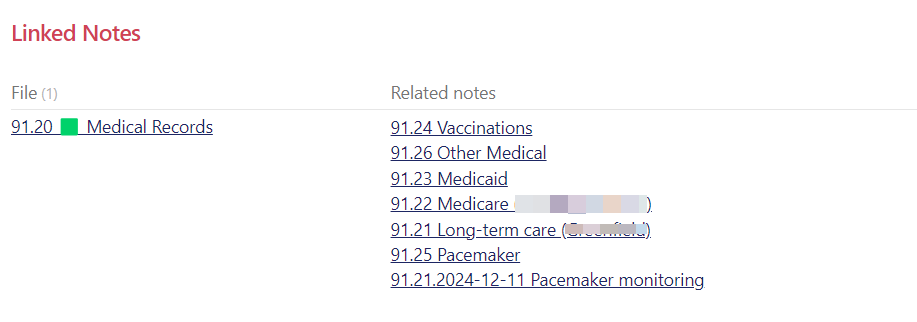
This isn’t pretty but it’s an example of a header. I have a dv query to show all notes linked to this 91.20 header. I can’t figure out how to get it sorting properly but that’s a problem for another day! I’m just cleaning up notes so the naming convention leaves a lot to be desired here. Some are ID notes AC.ID format, and some are/will be “note notes” in the “notes other” folder, like the bottom one in the screenshot.
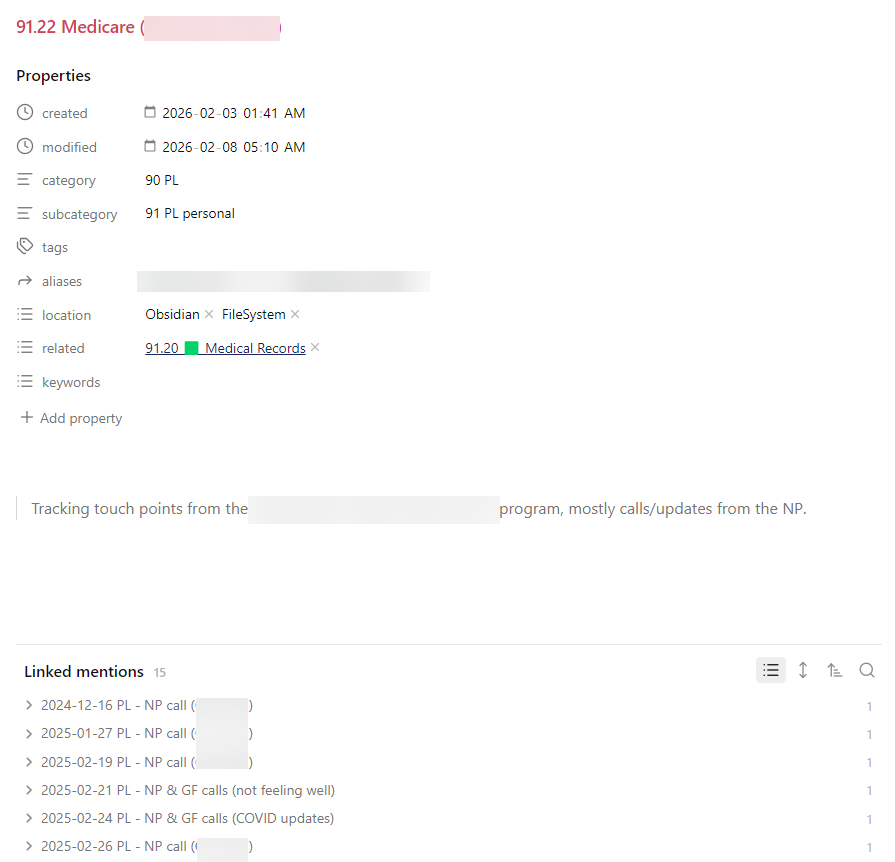
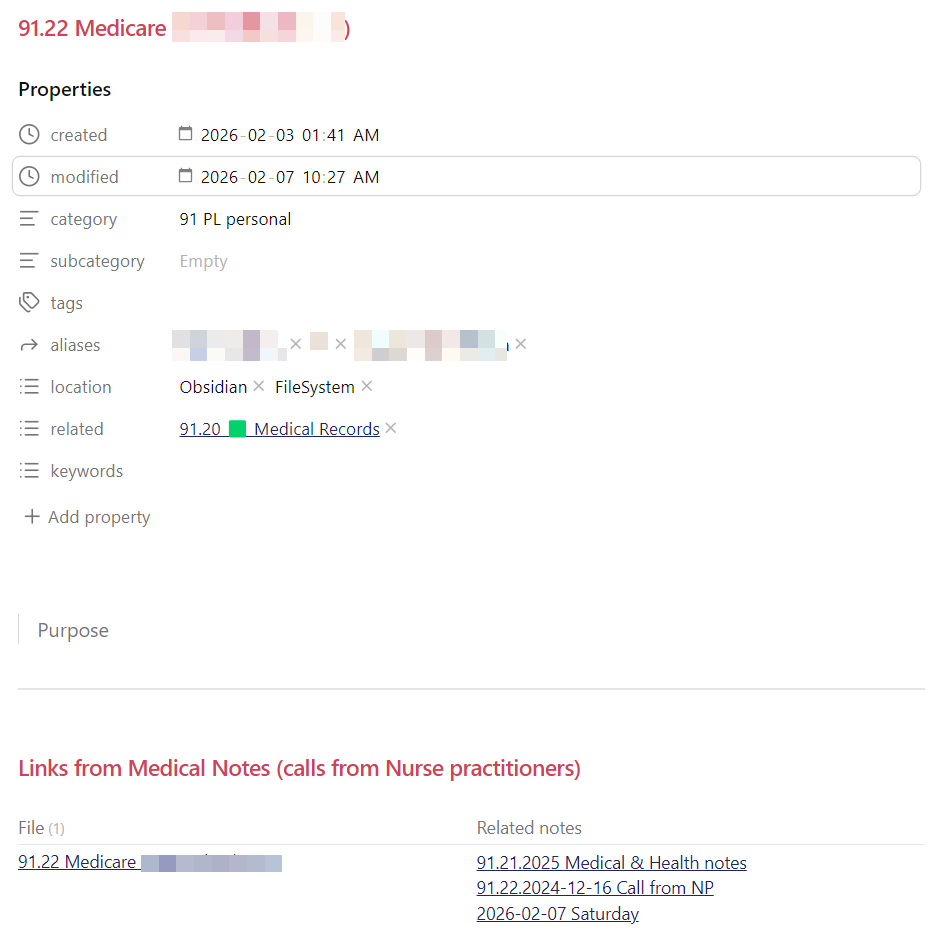
And this is what an ID note might look like when it has other notes related to it, plus what I settled on for properties which will be on all of my notes. In this example it is a scenario where I’m tracking a lot of info about doctor’s visits for the family member and don’t want one gigantic note so I will have (when I’m done) a bunch of “daily notes” wiht links to this note, some other notes with links back to this for medical history etc. I will follow the same logic for my consulting business client notes because I take notes every day as I work on things and it’s too much for containing in one big note.
I know seeing other people’s setup helped me so I am sharing this hoping it helps some others out there with ideas on how they might do things.